Which of your clients is about to leave.
A free tool that reads one mailbox export and shows which clients have quietly stopped being patient with you, and how long they waited.
When a client goes it feels like it came out of nowhere. It rarely does. For a few weeks beforehand they are usually chasing you, getting shorter with you, copying somebody else in, writing to you at nine at night. All of that is sitting there in the record, and nobody has the time to go back and read it, so the first anyone knows about it is the notice.
This is a free tool that reads one mailbox export and shows you it. It runs in your own browser. Nothing is uploaded, there is no account and no sign up, and you can turn your wifi off and it will still work.
Watch it run, start to finish
Seven minutes, from getting the export out of Outlook to reading the report.
What comes back
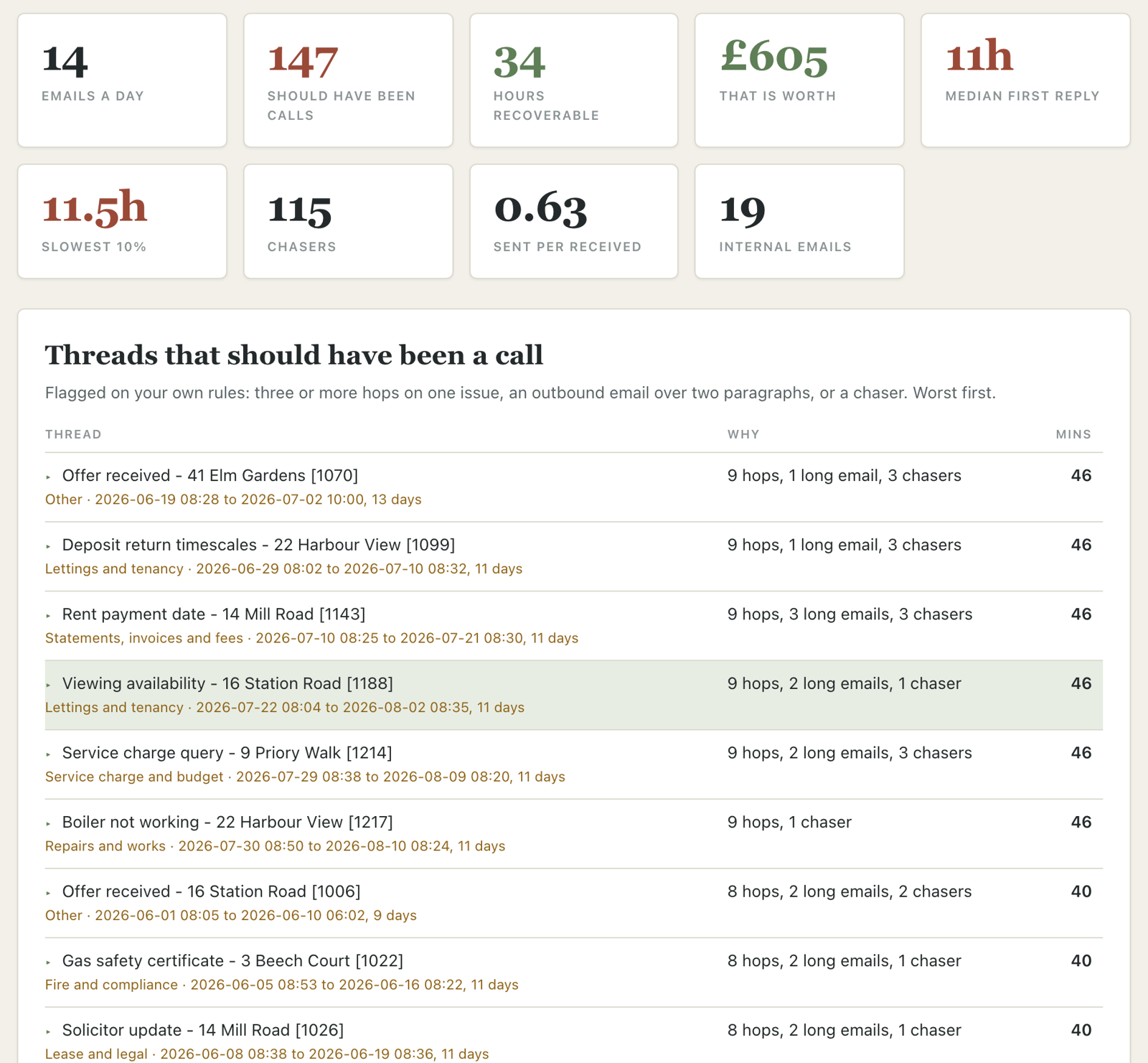
Every flagged conversation opens up so you can read the actual messages behind it before you ring anybody.
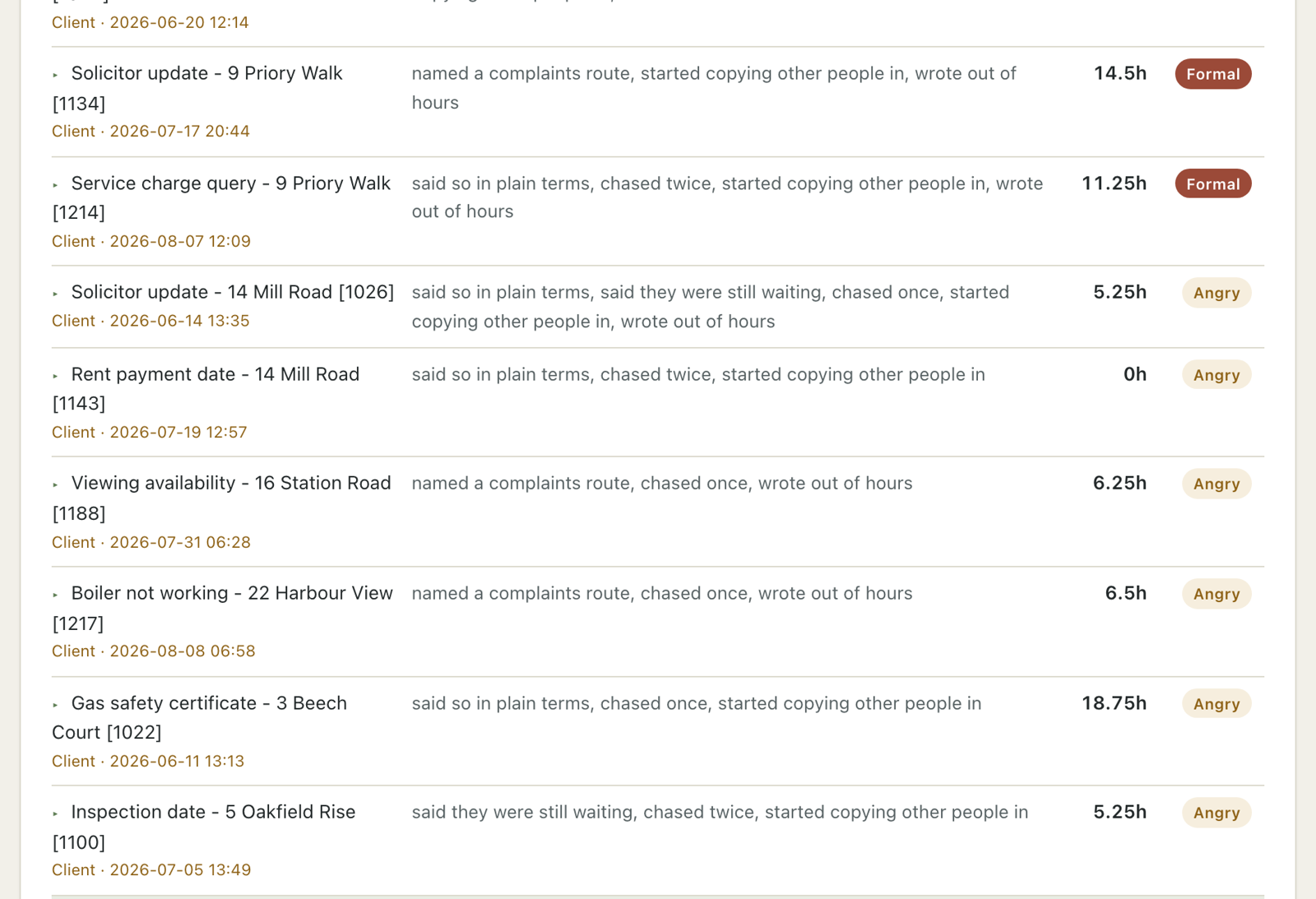
This is the one most owners go to first. Who has run out of patience, how bad it got, and how long they had gone without hearing anything from you.
What it tells you
Retention. Which clients have quietly stopped being patient, the ones who have named an ombudsman or a formal complaint, repeat names, and how long they sat in silence before the tone changed.
Training. Whether each person commits to a day and a time, Platinum down to Bronze, who the chasers land on, and who is answering the newest thing instead of the oldest.
Capacity. Conversations that should have been a phone call and what they cost, the pile already waiting before anyone has typed a word, and the supplier notifications you can switch off at source today.
Try it without exporting anything
If you would rather see it work first, these are made-up exports for a fictional agency. No real person, address or client is in any of them. Put millbankproperty.co.uk in the domain box when you run them.
Download the sample exports (361 KB, five files and a read-me)
Getting your own export out
Outlook. It has to be classic Outlook rather than New Outlook, and there is one step everybody misses. Before you press Finish, click Map Custom Fields and drag Received and Sent across. Without it the file looks fine and has no dates in it, so every timing figure would be blank. The tool tells you rather than pretending. Both screenshots are on the tool page.
Gmail. takeout.google.com, deselect all, tick Mail. Google emails a link once it is built, usually a few hours and sometimes up to two days. The file you want inside the zip is All mail Including Spam and Trash.mbox.
From Easier To Run, lesson one. See the post on LinkedIn ↗